
PayMe guide
PayMe Live: start a SOL payment on X
Start a SOL payment with an explicit command on X. Open the reply link, review the recipient and fees, and approve in your own wallet.
PayMe Live is available on X. Review the payment details, available wallet balance and fees before approving in your wallet.
Start with a person
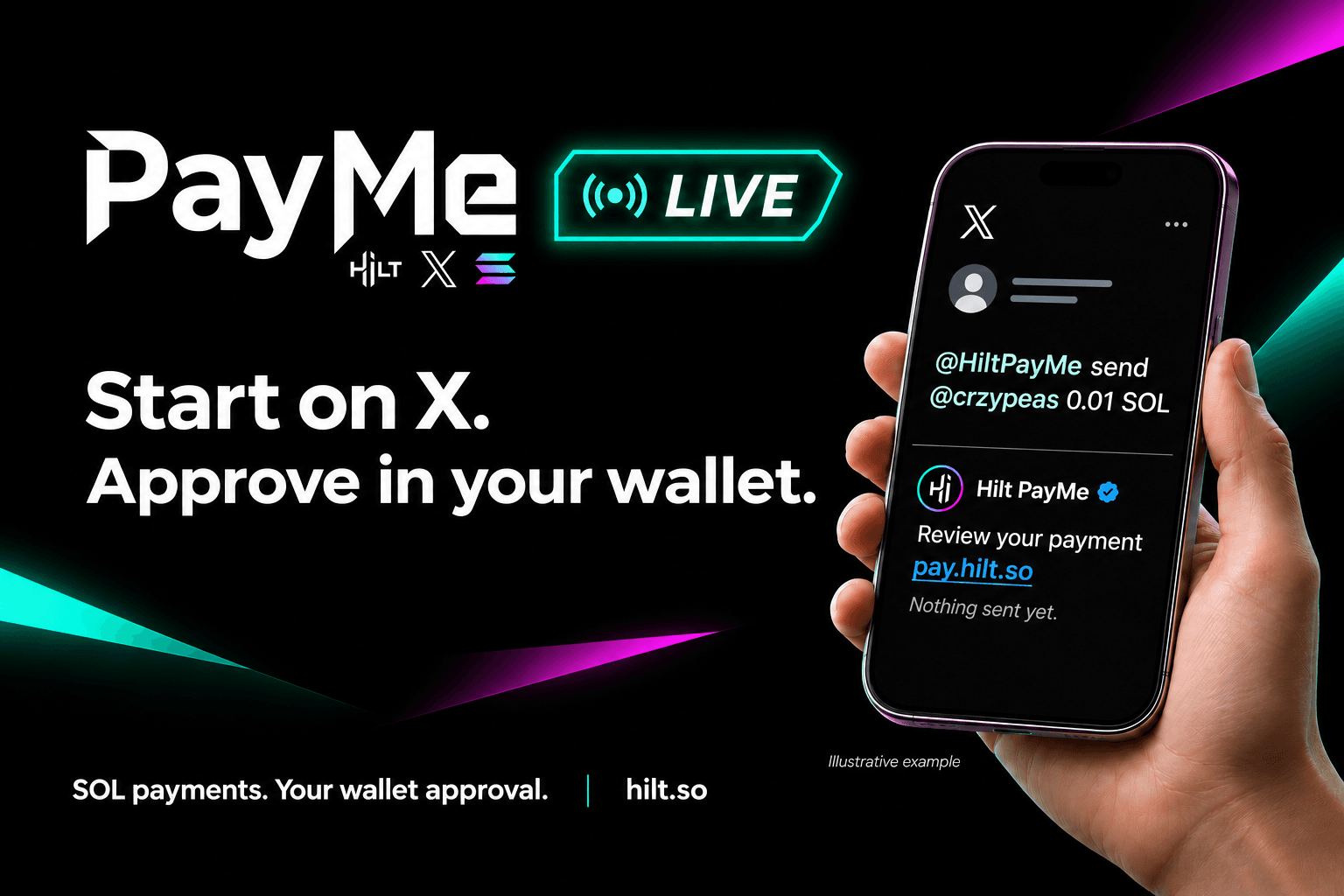
A thank-you, a community reward or a contributor payment can begin where the conversation already happens. Mention @HiltPayMe, name one recipient by their X handle and specify a SOL amount.
PayMe Live supports an original post, a reply or a quote post. Put the command and recipient in your own text. It does not infer a recipient or amount from the parent post, quoted text or an image.
@HiltPayMe send @crzypeas 0.01 SOLReview first. Approve in your wallet.
For an active verified PayMe recipient, Hilt replies to the requesting post with a payment-review link. Open it, connect your sending wallet and check the recipient, amount and fees before approving.
Nothing has been sent when the reply arrives. Hilt does not hold the funds or sign the transfer for you. A completed payment has a Hilt receipt and an on-chain transaction link.
The sender pays the existing 2% PayMe token-payment fee plus network and any required account-creation costs. Receiving has no Hilt fee. The transaction review shows the costs before approval.
If the recipient has not set up PayMe
Hilt replies to the requester with a link to an editable X invitation. You can review, change or cancel that draft. It is not posted automatically.
The invitation lets the recipient create a free PayMe profile at pay.hilt.so/me, verify their X identity and link a receiving wallet. No payment is reserved or sent while they sign up; check their verified profile and start a new payment when they are ready.
Hilt's automated response does not add a recipient @mention to its reply text. Your original post and any invitation you choose to publish are still public; PayMe Live is not a private payment channel.
Simple commands, clear boundaries
PayMe Live uses fixed command handling and response templates, not AI-generated replies. It supports native SOL to one named PayMe recipient, not USDC, other tokens, NFTs, group payments or raw wallet addresses in X commands.
Use a positive decimal number with a leading digit, a space before SOL and up to nine decimal places. Do not use commas, a dollar amount or scientific notation. Replace @recipient in the examples with the person's actual handle.
Requests to pay yourself and raw-wallet-address requests are ignored. Ordinary mentions are not payment requests. Some invalid or unavailable requests receive no response; a missing reply is not proof that money moved.
@HiltPayMe tip @recipient 0.01 SOL@HiltPayMe send @recipient 0.01 SOL@HiltPayMe pay @recipient 0.01 SOL@HiltPayMe tip 0.01 SOL to @recipient@HiltPayMe send 0.01 SOL to @recipient@HiltPayMe pay 0.01 SOL to @recipient
You control replies
Post @HiltPayMe stop to opt out of PayMe Live replies to your account. Post @HiltPayMe start to turn them back on, subject to current access. Use @HiltPayMe help for command guidance.
Replies depend on X availability and processing. Do not assume an exact response time or repeatedly post a request because a reply is delayed. You can use the normal PayMe website instead; review your payment history before making another payment.